

Before Returning to the Computer: Mobile Production Entry and Fire Log in the Workshop
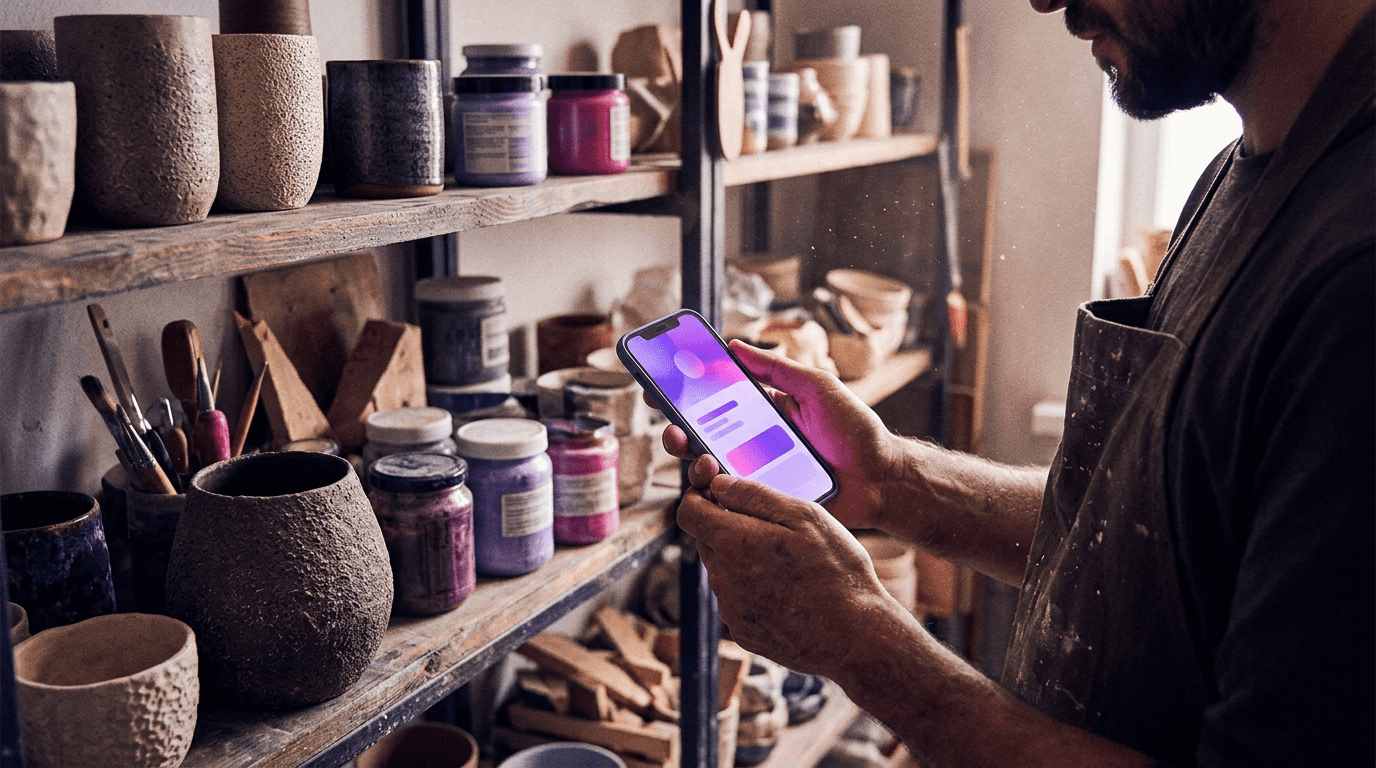
Use the Qolay.App mobile app for iOS and Android to enter production data and record "Fire Gir" entries in the workshop or kitchen; view the real-time cost without having to go back to your computer.
On this page
Paper Notes Left on the Workbench and Records Forgotten at the Office in the Evening
In small and medium-sized manufacturing businesses, the real work doesn’t happen at a desk; it takes place at the workbench, in the oven, at the casting table, or in the packaging area. The foreman or business owner often jots down on a piece of paper at the workbench—or sends himself a note via WhatsApp—how many products were produced during the day, how many broke while being removed from the mold, or how many kilograms of raw material were added.
The problem begins with evening fatigue: By the time they sit down at the office computer, some of those notes have gone missing, the scrap amount has been forgotten, or the production log has been postponed until the following week. As the records are delayed, e-commerce inventory remains out of date, raw material shortages go unnoticed, and accurate unit cost tracking breaks down. The solution is to be able to manage the exact same screens on your phone as you do on your computer.
Why Use Mobile Production Screens That Are Exact Replicas of the Web Version Instead of Heavy ERP and MRP Systems?
In many heavy-duty ERP and MRP software systems, mobile apps either don’t exist at all or consist solely of limited approval screens; to make a comprehensive production entry, you must switch to a desktop computer. For an SME on the move within the workshop, this is a major obstacle.
The Production Management module of the Qolay.App accounting platform offers all three screens available in the web browser (Recipes, Production Entries, and Reports) with the exact same simple layout in its iOS and Android mobile apps. Thanks to the “one form, one entry” logic, you can record production with just a few taps without leaving the workshop, deduct losses via the Fire Gir window, and instantly view the real-time cost and the Production Slip PDF document.
Real-Life Scenario: 20 Concrete Terrazzo Planters Entered via Mobile from the Workshop
Let’s imagine a workshop that pours decorative concrete planters: the master opens the molds and immediately uses Fire Gir on his phone to record the production entry for 20 sturdy Concrete Terrazzo Planters, as well as the 2 planters (3.00 kg) with chipped corners in the mold. The cost breakdown for the batch recorded on the mobile app is as follows:
| Cost Item (for 20 Planters) | Record Type | Quantity / Calculation | Amount (TL) |
|---|---|---|---|
| White Cement & Marble Chippings Mortar | Component | 20 × 1.50 kg = 30.00 kg × 40 TL | 1,200.00 TL |
| Water-Based Interior and Exterior Insulation Varnish | Component | 20 × 0.05 liters = 1.00 liters × 400 TL | 400.00 TL |
| Total Raw Materials | Subtotal | 1,200 + 400 | 1,600.00 TL |
| Sanding, Vibration & Workshop Share | Additional Cost (Service–Rate) | Raw materials only (1,600 TL) × 10% | 160.00 TL |
| Casting & Wet Sanding Labor | Additional Cost (Service–Amount) | Fixed per batch (no multiplier) | 440.00 TL |
| Cardboard Shipping Box + Kraft Padding | Additional Cost (Inventory) | 20 units × 25 TL (multiplier open) | 500.00 TL |
| 2 Pots of Potting Soil Broken in the Mold | Fire Gir | 3.00 kg × 40 TL (not included in the 10% base) | 120.00 TL |
| Total Production Cost | Grand Total | 1,600 + 120 + (160 + 440 + 500) | 2,820.00 TL |
| Cost per Pot | 20 Sturdy Pots | 2,820.00 ÷ 20 | 141.00 TL / unit |
Before the craftsman even leaves the workshop, he sees the total of 2,820.00 TL and the unit cost of 141.00 TL instantly on his phone; the manager in the office and the marketplace integration also see the 20-unit inventory updated in the same second. The FIFO engine, which runs overnight, finalizes the batch cost based on purchase invoices. Additionally, the customizable Production Slip PDF document for the processed batch can be opened on the phone and shared with accounting.
Step-by-Step Production and Scrap Recording Workflow on Mobile
- 1. Open Production Entries on Your Phone (Production → Production Entries): On the new entry screen, select the date, product, and the quantity produced (20 units); consumption and additional cost lines from the recipe will populate automatically.
- 2. Make Any Batch-Specific Changes: For example, if special varnish work was added to this batch, you can edit the additional cost line specific to that entry on the mobile screen; the main recipe remains unaffected.
- 3. Process the Scrap on the Workbench Immediately (Enter Scrap): Enter the amount of material (3.00 kg) and the description (“Corner broke while removing from the mold”) for the broken piece right then and there; don’t try to remember it later in the evening.
- 4. Save, Share Inventory and the PDF: When the record is approved, raw material, scrap, and box inventory are deducted from the warehouse, and the finished goods are added to inventory. If inventory is insufficient, you’ll receive a warning, but the transaction won’t be blocked; the negative inventory will be corrected when the purchase invoice is processed. If you wish, you can open and share the Production Slip PDF document from your mobile device or instantly review the 4 reports (Production Summary, Raw Material Consumption, Scrap Report, and Recipe Cost) under Production → Reports.
5 Common Mistakes in Mobile Production Tracking
- Accumulating Entries Until the Weekend: If entries aren’t entered in real time during production, e-commerce inventory levels fall behind, creating the risk of overselling or running out of stock.
- Forgetting to Enter Semi-Finished Goods via Mobile: Since there is no automatic sub-production for recipes using semi-finished goods, you must first enter the semi-finished goods production.
- Estimating Scrap at the Workstation: The most accurate method is to weigh broken or spilled materials at the workstation and record them immediately using the Enter Scrap feature on your mobile device.
- Delaying the Purchase Invoice and Leaving Negative Inventory Unresolved: Processing the supplier’s invoice on the same day you see the alert on your mobile device ensures the FIFO engine calculates the exact cost that night.
- Assigning Incorrect Role Permissions to Field Staff: The team entering production data in the workshop should be granted “Standard” permissions, while the accounting department—which will only review the data—should be granted “Accountant” or “Read-Only” permissions.
Frequently Asked Questions
Will the recipes I create on the web appear instantly in the mobile app?
Yes. Qolay.App is cloud-based; the web, iOS, and Android apps operate simultaneously using the same database and the same three production screens.
If a workshop foreman enters the wrong number on their phone, can they correct it?
Administrators and users with Standard permissions can edit or delete the relevant production entry from either the mobile app or the web; the system automatically updates inventory movements.
If I receive a low-stock warning on my mobile device, should I put the transaction on hold?
You do not need to put it on hold; the alert is for informational purposes only and does not prevent the entry. You can save the production entry; the negative inventory will automatically be corrected when the purchase invoice is processed.
Are e-commerce inventory levels and reports updated immediately for production entries made via mobile?
Yes. As soon as the entry is approved, the finished goods inventory is updated; the marketplace inventory sync reflects the new quantity; and all four reports under Production → Reports (covering up to 366 days, with Excel export support) reflect the latest data.
Manage Your Workshop from Your Phone
Entering production data and recording scrap right in your workshop or kitchen—without having to wait to get back to a computer—increases both your operational speed and inventory accuracy. To explore all mobile and web features, visit the Qolay.App Production Management page; you can also read our articles on “Mobile Pre-Accounting in the Field,” “Pre-Accounting in Production,” and “Collaboration with Financial Advisors.” The Production Management module is available as a separate add-on in the Qolay Market, and a free trial is available. Sign up for a free account on Qolay.App today to start managing your production seamlessly on both the web and mobile.
This article is for general informational purposes only. Consult your financial advisor regarding internal authorization and official accounting processes.
Try it after reading
Start applying what you read with Qolay.App — for free.
Related articles
Other guides close to this topic.

Sole, Upper, Adhesive, and Labor Costs in Small Footwear and Slipper Workshops
Manage Sole, Inlining, Glue, and Box Costs in Assortment Production with Formulas
Learn how to track upper, thermo sole, inlining, adhesive, cutting waste, and shoe box costs in small shoe and slipper workshops with a single formula and production entry.

Weight, Box, and Packaging Costs in Boutique Chocolate and Confectionery Workshops
Managing Couverture, Filling, and Gift Box Costs Together
Learn how to manage couverture weights, filling semi-finished products, tempering waste, and luxury gift box costs in boutique chocolate, madlen, and confectionery workshops.
Profile, Paint and Labor Cost in Metal, Wrought Iron and Welding Workshops
Allocating Box Profile Waste, Electrostatic Paint and Welding Labor to Unit Cost
Calculate profile measurements, miter cut waste, electrostatic paint and master craftsmanship down to the last penny in metal, wrought iron and welding workshops with Qolay.App.